Accu-Chek Guide Me
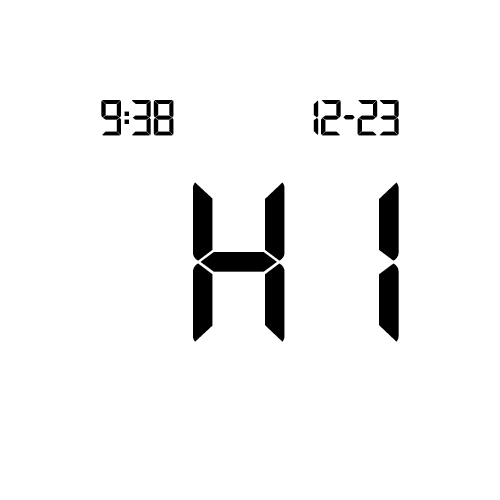
Error codes E-14
An electronic error has occurred.
Contact Accu-Chek Customer Care.

An electronic error has occurred.
Contact Accu-Chek Customer Care.

Fluid or foreign material may be present in the test strip slot.
Remove and reinsert the test strip or repeat the blood glucose or control test with a new test strip.
If the problem persists, contact Accu-Chek Customer Care.

Your blood sample may contain a high level of ascorbate.
Contact your healthcare professional.

The test strip may be damaged.
Retest with a new test strip. If the message reappears, please contact Accu-Chek Customer Care.

The time and date setting may be incorrect.
A flashing wireless symbol appears while the meter attempts to synchronize the time and date with the paired device.
When the wireless symbol no longer appears, press the power/set button to turn the meter off.
Press the power/set button a second time until the flashing test strip symbol appears.
If time and date sync was not successful the meter prompts you to set them the next time you turn it on. See the “Setting the Time and Date” section in the "Your New System chapter" in the User Manual.

The batteries may be out of power.
Turn the meter back on. If you are in a cold environment, move to a location with a more moderate temperature and retest.
If the message continues to appear after several attempts, replace the batteries.
If the message reappears after the batteries have been replaced, remove the batteries, press and hold the power/set button for at least 2 seconds, then reinsert the batteries.

The temperature is above or below the proper range for the system.
Refer to the test strip package insert for system operating conditions. Move to an area with the appropriate conditions and repeat the blood glucose or control test. Do not artificially heat or cool the meter.

An electronic error occurred.
Remove the batteries, press and hold the power/set button for at least 2 seconds, and reinsert the batteries.
Perform a blood glucose or control test.
If the problem persists, please contact Accu-Chek Customer Care.

Blood or control solution was applied to the test strip before the flashing drop symbol appeared on the display.
Discard the test strip and repeat the blood glucose or control test.
If the problem persists, please contact Accu-Chek Customer Care.
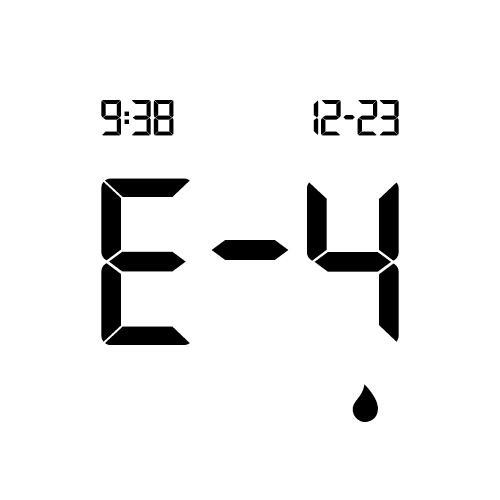
Not enough blood or control solution was drawn into the test strip for measurement or was applied after the test had started.
Discard the test strip and repeat the blood glucose or control test.
If the problem persists, please contact Accu-Chek Customer Care.