


You can use each Accu-Chek SmartGuide CGM sensor for a maximum of 14 days. When your sensor has expired, you must remove it and replace it with a new one. It’s important to remove the sensor from your arm completely.
What to do with your old CGM sensor?
Bodily fluids can carry a risk of infection. Dispose of the sensor in accordance with your local regulations for the disposal of infectious material.
You’ll receive notifications 24 hours and 2 hours before your sensor expires, plus a reminder when your session concludes after 14 days.
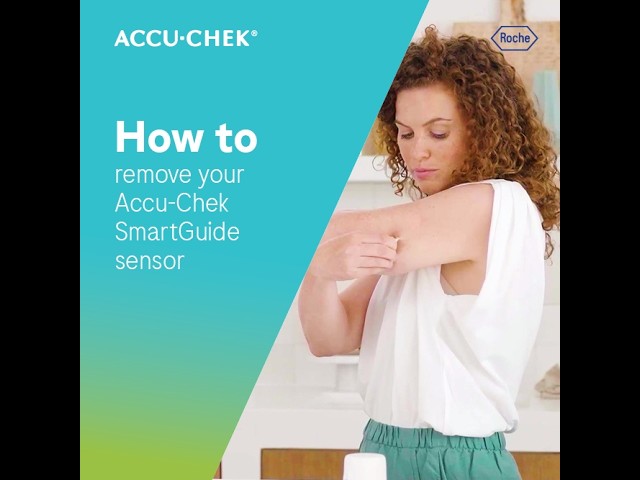
Watch the video below to learn how to remove an expired CGM sensor, or continue reading for step-by-step instructions.
How to remove your Accu-Chek SmartGuide sensor
Step 1
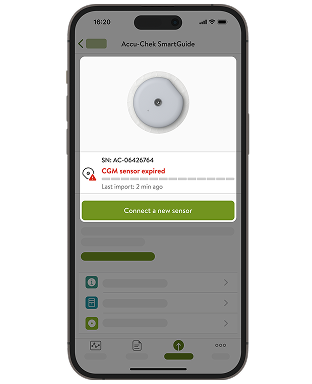
Tap Connections tap Accu-Chek SmartGuide, then select Connect a new sensor to confirm that your sensor must be replaced.
Step 2
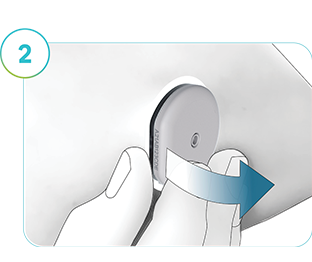
Carefully peel off the adhesive pad, starting on the flat edge of the sensor.
Tip: Dampening the adhesive with water or oil (e.g., baby oil) might make the removal easier.
Step 3
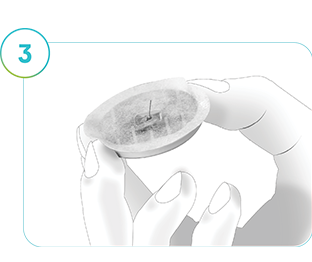
Inspect the back of the removed sensor to make sure the pin-like part is attached. It’s crucial to confirm that this has been extracted from your skin. Look at/feel the skin around the application site to check.
Contact your healthcare professional immediately if:
- The pin is not removed from the rest of the sensor or stuck in your skin.
- You notice pain, swelling, redness, or other unusual symptoms.
- You feel sensations in or near the application site.
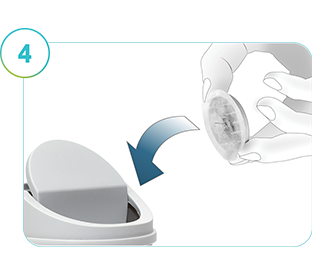
Step 4
Dispose of the used sensor safely. Follow the waste disposal guidelines for infectious material issued by your local authorities.
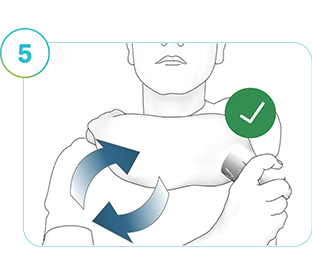
Step 5
Apply a new sensor. Each time you replace the sensor, choose a new location on the back of your upper arm so the last application site can heal properly. We recommend alternating between the left and right arm to give the application sites proper healing time.
How helpful did you find this training?
Accu-Chek Newsletter
Stay informed about diabetes
Get diabetes management tips and news delivered right to your inbox.